Skip to content
Storyteller Blog

Storyteller Blog

Human Eyes. Honest Stories.

  • StanleyLeary.com
  • More
    • Client Galleries
    • Workshops
    • Private Lessons
    • Client List
    • Testimonials
    • Photo Tips
    • My Mentor
  • College Course
    • Introduction to Photojournalism Syllabus (Spring 2019) UGA
    • Depth of Field & Lens Selection
    • Multimedia Package
    • Audio Package
    • Features
    • News Package
    • One Face, One Story
    • Captions
    • Manual Exposure
    • Copying, Renaming and Batch Captioning in Adobe Lightroom & Bridge
    • Resizing in Adobe Bridge and Compressing Your Folder
  • Lighting Exercises
    • 1) Rembrandt Lighting Assignment
    • 2) Mixing Strobes with Available Light
    • 3) Lighting Assignment 3:1 Lighting Ratio
    • 4) Mastering the Art of Clamshell Lighting
    • 5) Shooting Flambient Real Estate Shots
    • 6) Creative Backgrounds for Tabletop Photography
  • Newsletter
  • Bio
  • Contact

Creating Website Part 3

by Stanley LearySeptember 23, 2020September 1, 2025
Getting your Trinity Audio player ready...
Reading Time: 3 minutes

It is essential to remember that most people you want to reach often will only find you if when they type into Google their search that your website will pop up.

If you have identified the problem you solve for your customers, then you know what searches they will most likely put into Google.

Some companies are out there to help you with this process. This is all called Search engine optimization, or SEO for short.

You need what we call metadata fields on your website. Here are the five things you should consider:

  1. Title: The title tag is one of the first things users notice in the SERPs. It’s the title of your page that tells what they will find.
  2. Meta description: The meta description should provide an accurate description of the content of your page. It is usually the element that determines whether users will click on your page, which makes it essential to spend time on its optimization.
  3. Robots meta tag: The robot’s meta tag informs search engines which pages on your site should be indexed. 
  4. Alt text – Alt text can ensure both of these things: it provides a text alternative to images displayed if the picture doesn’t load and tells search engines what that image represents.
  5. Canonical tag: Instead of confusing Google and missing your ranking on the SERPs, you are guiding the crawlers as to which URL counts as the “main” one. The tag emphasizes the correct URL and prevents others from cannibalizing your SEO.

All this metadata is hidden in code in the background of a page. You can put a plugin on your WordPress site to help you. This can help you put all the content listed above in the right places on your pages.
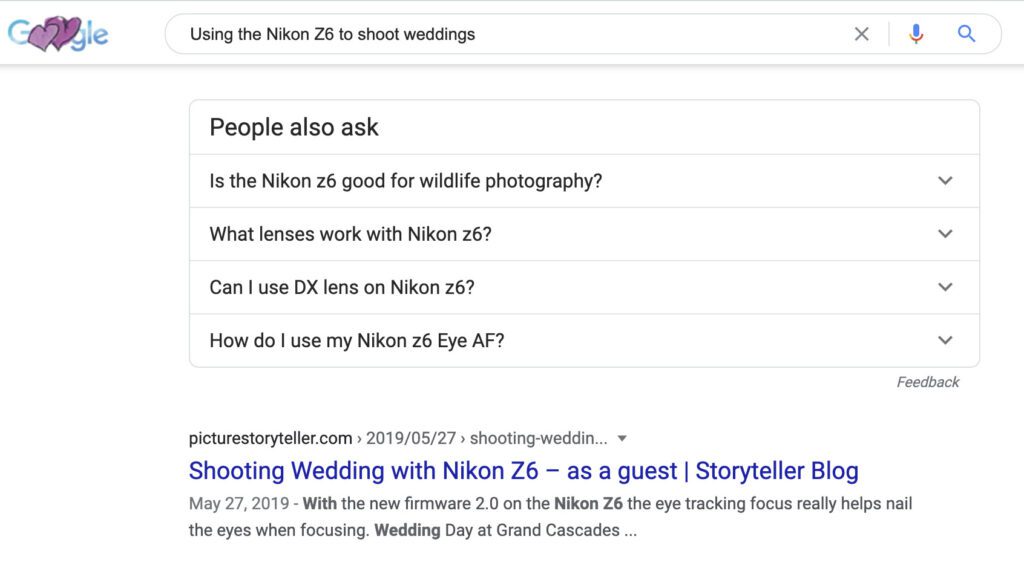
This is a search you can do on your own. I just typed, “Using the Nikon Z6 to shoot weddings.” My listing was on the first page, as you see here.

When I write a blog, WordPress takes the title I give to the blog and makes it the title for the page. So when You look at this blog in your browser tab, you should see the blog’s name in the account.

When you post photos, WordPress asks for Alternative Text to show if someone has graphics turned off and then the text will tell them what that photo is about. Also it helps when people search they may find the photo due to the Alternate Text you have associated with that photo.
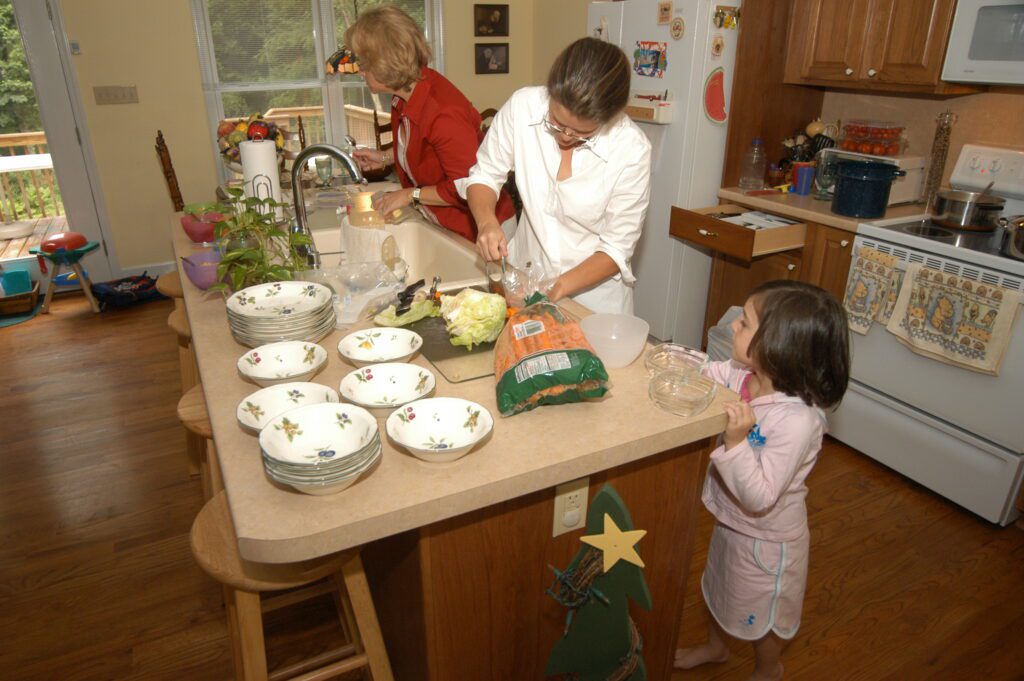
Chelle wants to help her Aunt Emma and Hannah cook dinner for the family in Morganton, North Carolina.

Take Away

Meta can help you improve the user experience and the display of your business information.

Here we are on Part 3, and nothing has been done. We are still in the kitchen. We are preparing for the meal to be served. You may think of it as preparing all ingredients to make a dish, casserole, or baked cake.

If you skip this step, you will likely serve something missing an ingredient. You don’t want to mislabel the salt and sugar. They look the same but taste pretty differently.

Tagged Creating Website, Meta, Metadata, Website

Post navigation

Creating Website Part 2
Creating Website Part 4

Related Posts

The Evolution of Digital Cameras: From DSLR to Mirrorless

Reading Time: 3 minutes[NIKON D3, 122.0-300.0 mm f/2.8, Mode = Aperture Priority, ISO 4500, 1/1000, ƒ/5, (35mm = 240)] As a professional photographer, I have seen the evolution of digital cameras over the past two…

March 5, 2023September 1, 2025

Unlocking the Power of Photography: Beyond Snapping Shots

Reading Time: 3 minutesHeading 1: The Misconception of Photography In the world of professional photography, it’s not uncommon to encounter individuals who perceive the craft solely as the act of capturing high-quality images. While technical…

March 22, 2024September 1, 2025

Where is the “B” [Business] button on my camera?

Reading Time: 3 minutesMany people who first buy a camera put it on the Green “P” button, or, like on this camera, the Green Camera. That mode is where the camera does all the thinking…

March 13, 2018August 28, 2026
September 2020
M T W T F S S
 123456
78910111213
14151617181920
21222324252627
282930  
« Aug   Oct »

Popular Posts

  • Don’t Clean Up Your Background
  • Big News: FOCUS Has a New Name — Welcome to The Story Thread
  • One Tip for Posing
  • Lessons from my last wedding with a second shooter
  • The Power of Storytelling for Small Business Owners: Why Visuals and Transparency Matter
  • Benefits of Getting Together
  • The Changing Landscape of Photography Seminars & Workshops: Why Attendance Is Declining
  • Where does your eye go first?
  • Rediscovering the Beauty Outside Your Window
  • Birds, Nikon Z9, & Flashpoint XPlor 600 HSS TTL

Copyright © 2026 Storyteller Blog Theme: Blog Ink By Artify Themes.