|
Getting your Trinity Audio player ready...
|
Finding a Photograph is More Important Than Making One
Why? Being able to locate your photos when you need them saves time, impresses clients, and ultimately helps you make money.
“Now, Where Did I Put That?”
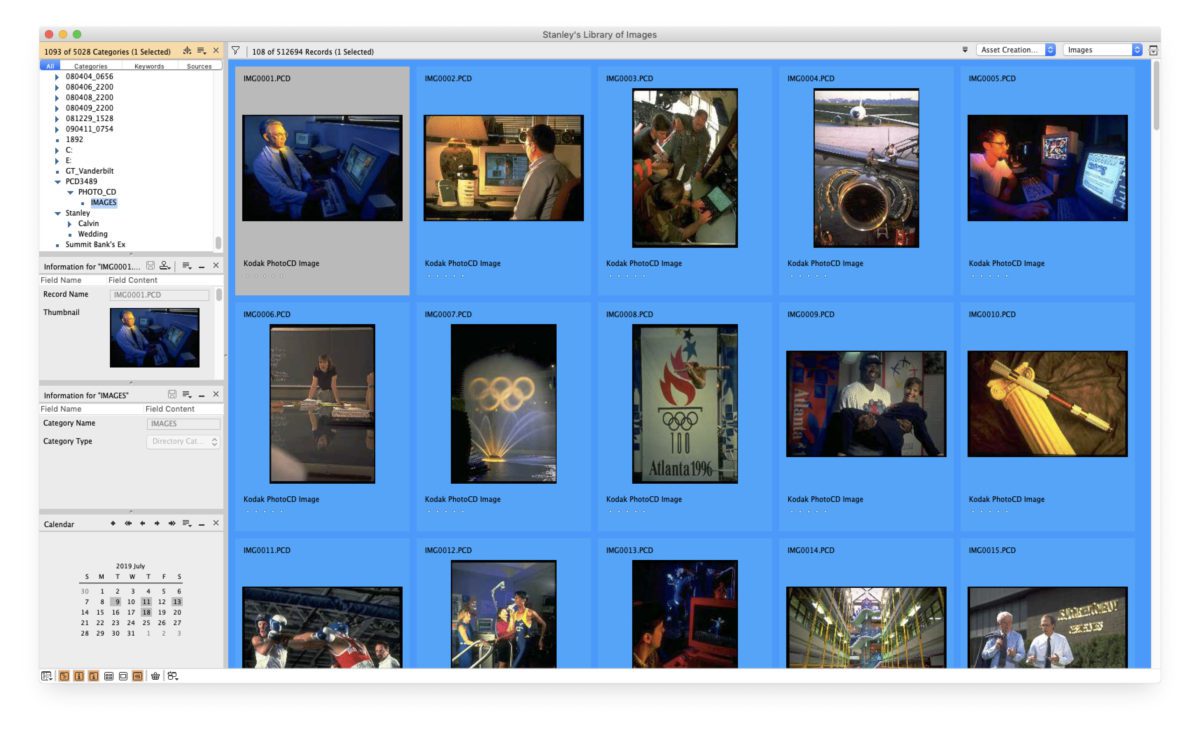
In 1993, I was introduced to Nikon’s Image Access scanner software. Over time, this evolved into what is now known as Cumulus by Canto, an image database software. Today, I use Cumulus Single User 8.5, which costs $399 and works on PCs and Macs.
This software is highly powerful and scalable, comparable to Adobe Photoshop or Premiere. While most users may use only a fraction of its capabilities, it’s a long-term investment that can grow with your needs, whether you need multi-user or web-based versions.
Organizing with Metadata
A key part of my workflow is embedding metadata—text information—into each photo. This metadata makes images searchable and manageable.
What is Metadata?
Adobe’s Extensible Metadata Platform (XMP) is a labeling technology that embeds data within files. It allows for:
- Efficient job processing
- Workflow automation
- Rights Management
XMP integrates with IPTC fields to capture details such as camera settings (f-stop, shutter speed, etc.) and custom information you add. Why Metadata Matters
Metadata makes your photos searchable on your computer. This valuable data remains hidden without tools like Photoshop or database software (e.g., Cumulus). You can quickly locate images even years later by embedding keywords, captions, and other information into your files.
My Workflow: Organizing Photos
- Burn Images to a Disc
After a shoot, I copy all the images onto a labeled DVD (or a hard drive for modern workflows). - Ingest Images into Cumulus
I import the DVD into Cumulus and catalog the images and their metadata. While I keep physical copies (DVDs or hard drives) offline, Cumulus helps me locate each image by disc name and folder. - Thumbnail Views for Easy Browsing
Cumulus generates high-quality thumbnails. These previews let me quickly identify the correct image before accessing the high-resolution file. - Store and Label Discs
After ingesting, I organize discs in binders, shelved chronologically. I rely on backups to retrieve the images if a disc is damaged.
Real-World Scenarios
Handling Client Requests
When I get a call like:
- “Do you have the disc you made for us?”
- “Do you have a photo of President George Bush?”
I searched in Cumulus. For example, if I search for “George Bush,” I’ll find the relevant disc and folder—labeled by date (e.g., 031003 for October 3, 2003). I retrieve the disc, locate the high-res image, and send it to the client.
Quick Turnaround for Big Clients
Sports Illustrated once requested images of a specific Georgia Tech player. Thanks to Cumulus, I quickly found both headshots and action shots. Within 30 minutes, I delivered 10 high-quality options for their consideration.
Tools to Consider
While I use Cumulus, other solutions, such as FileMaker Pro or Extensis Portfolio, can also help you manage your image library. The key is to choose a system that fits your workflow and ensures you can find your images when needed.
Bottom Line: Find It, Make Money
The ability to quickly locate your photos is critical to professional success. Without an organized system, your images—and opportunities—are lost. Embrace tools and workflows that prioritize searchability, because the faster you find them, the sooner you can profit.