|
Getting your Trinity Audio player ready...
|
Why photographers need more than a packing list—and what I learned from a recent assignment.
I recently arrived at a photography assignment and discovered I had left my on-camera flashes at home.
They were packed in their bag, ready to go. The night before, while preparing for the assignment, I thought I had put that bag in the car.
I hadn’t.
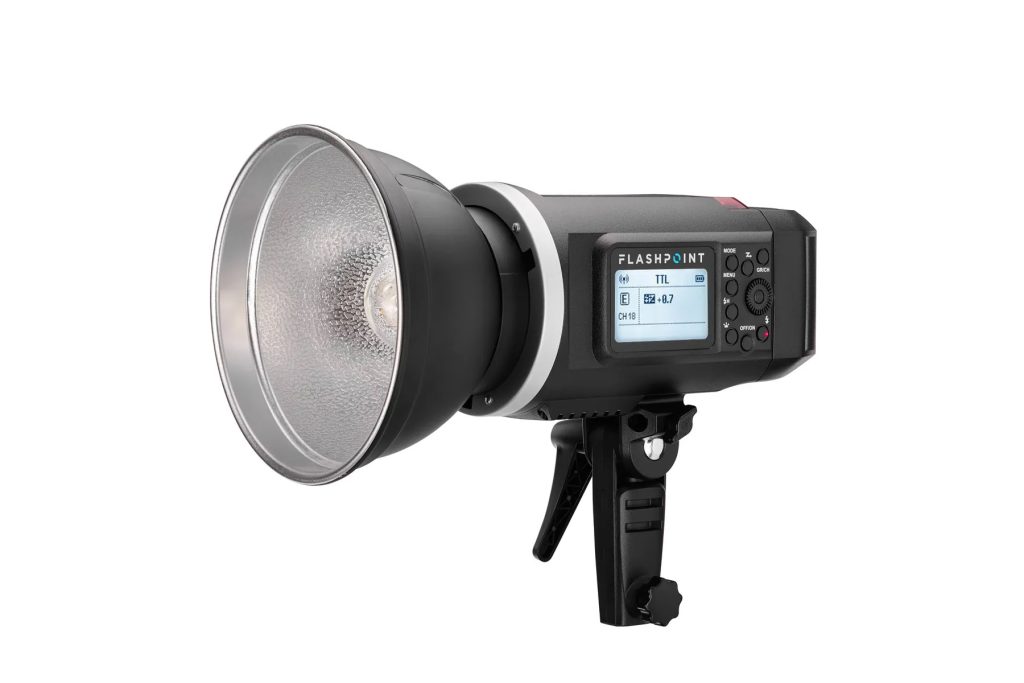
Fortunately, I wasn’t planning to use those flashes as my primary lighting. I had brought my Flashpoint XPLOR 600 HSS TTL studio strobe and Godox X1N-T wireless trigger, which were part of my lighting plan.
So the missing flashes didn’t prevent me from doing the job.
But that wasn’t the only thing missing.
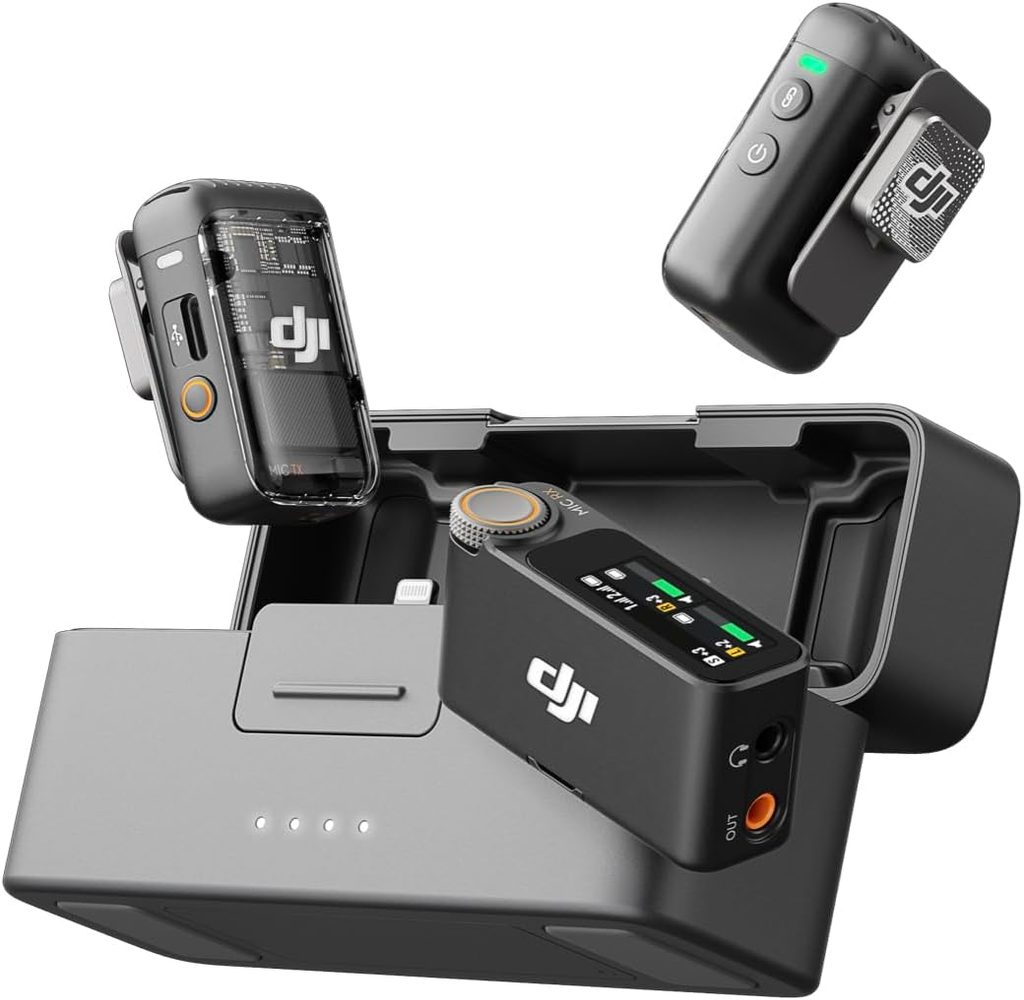
When I started setting up my DJI Mic 2 wireless microphone system, I discovered the cable needed to connect the receiver to my camera’s audio input wasn’t there.
Two oversights on the same assignment.
That got my attention.
Having a Backup Plan Saved the Day
Fortunately, the DJI Mic 2 can record audio internally without relying on the camera to capture the sound.
I recorded the audio directly to the microphone and later replaced the camera’s audio track with the recording during post-production.
The client received the finished work.
But I had created unnecessary work for myself.
The missing cable didn’t ruin the assignment, but it added another step to the editing process. The missing flashes also meant I had fewer lighting options if conditions changed.
Just because you can solve a problem doesn’t mean you should have created the problem in the first place.
That is an important distinction.
Experience helps us recover when things go wrong. Preparation helps prevent those problems.
I Already Had a System. I Didn’t Follow It.
Back in 2019, I wrote a blog post titled Create Checklists and Digital Workflow.
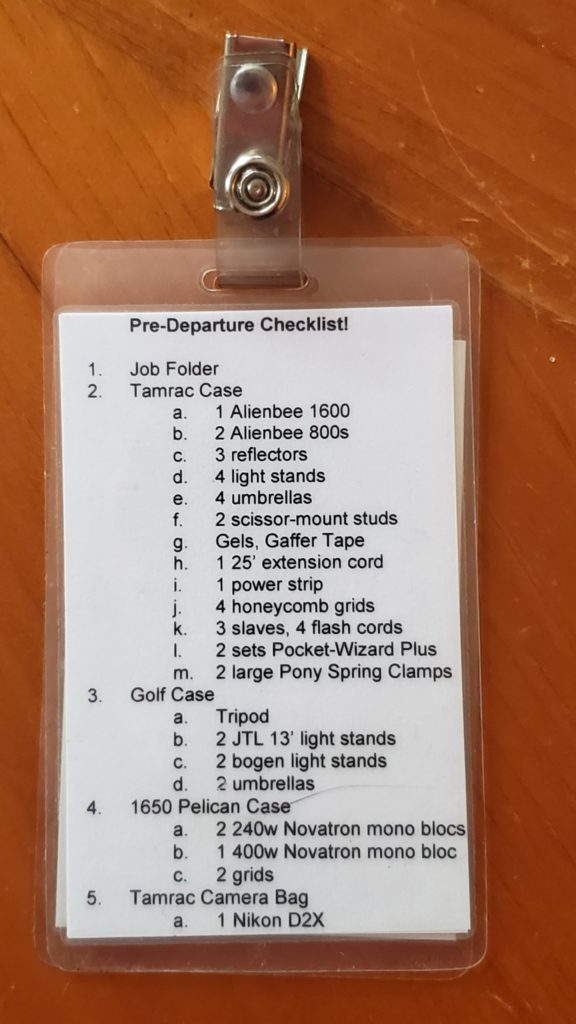
The idea was simple: Don’t depend entirely on memory when you can create systems that help you work consistently.
One of my normal routines before a video interview is to pull out the equipment and assemble everything as though I were already on location.
I set up the camera, microphones, lighting, cables, and accessories.
Then I break everything down and repack it.
Why?
Because there is a big difference between knowing you own a piece of equipment and knowing it is in the bag you are taking to the assignment.
This time, I skipped that routine.
I packed based on what I remembered rather than verifying what I needed.
And my memory was wrong.
Seven Ways to Avoid Leaving Essential Gear Behind
1. Build Checklists Around Assignments, Not Just Equipment
Every assignment is different.
A corporate headshot session requires different equipment from a video interview, conference, environmental portrait, or architectural photograph.
Instead of maintaining one enormous equipment list, create smaller checklists for the kinds of jobs you regularly photograph.
For example, a video interview checklist might include cameras, lenses, microphones, receiver cables, headphones, lighting, batteries, memory cards, and support equipment.
The important question isn’t simply, “Do I have my camera gear?”
It is, “Do I have everything necessary to complete this particular assignment?”
2. Set Up the Equipment Before Packing It
This is the step I skipped.
If you are going to record an interview, assemble the equipment and record a short test.
Connect the microphone to the camera. Check the audio levels. Listen through headphones.
If you’re using strobes, connect the wireless trigger and fire the lights.
Make sure the equipment actually communicates with the other equipment.
A checklist tells you something should be there.
A functional test proves it works.
After testing, repack everything in its assigned location.
3. Check Every Cable and Connector
We tend to remember the expensive equipment.
We remember the cameras, lenses, strobes, and microphones.
But a small cable can determine whether thousands of dollars of equipment will work together.
My missing DJI Mic 2 cable was a perfect example. I replaced that cable the next day.
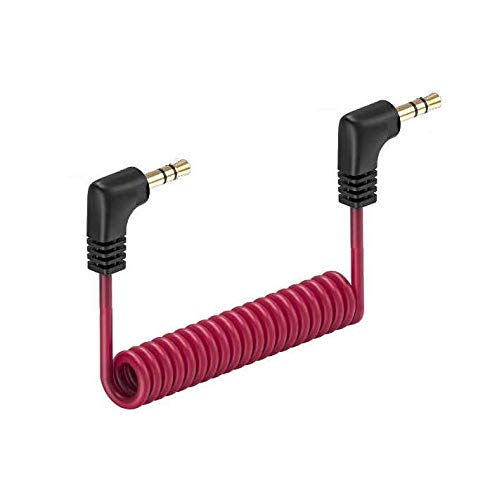
Think about every connection in your workflow. What connects to what? Do you have the right connector? Is there a spare?
For frequently used equipment, consider keeping dedicated cables in the same bag rather than borrowing them for other purposes.
A $15 cable can be just as essential to the assignment as a $3,000 camera.
4. Charge Batteries and Verify Memory Cards
Having a battery in the bag doesn’t mean it is charged.
Having a memory card doesn’t mean it has sufficient space.
Before every assignment, check battery levels for cameras, strobes, microphones, wireless triggers, and other battery-powered equipment.
Make sure memory cards are ready and that any necessary files have been backed up before formatting.
I also recommend keeping a consistent routine for separating charged batteries from depleted ones.
The goal is to eliminate guessing.
5. Give Every Piece of Equipment a Home
One reason equipment gets left behind is that it doesn’t have a consistent place.
If your microphone cables are sometimes in the camera bag, sometimes in the audio bag, and sometimes on your desk, you are creating opportunities for mistakes.
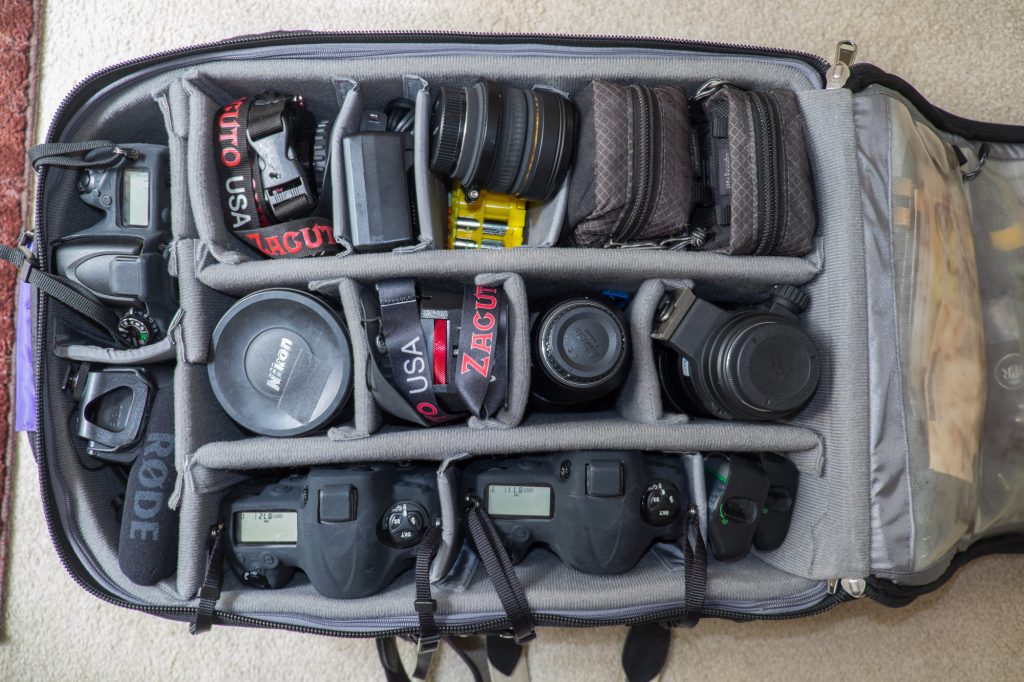
Assign specific locations for frequently used accessories.
Use labeled pouches, dividers, or compartments.
You can even photograph a properly packed bag and use that image as a reference.
When everything has a designated place, an empty compartment becomes a warning.
6. Check the Bags, Not Just Their Contents
This was my biggest mistake.
The flashes were packed.
The bag was ready.
But the bag wasn’t in the car.
A perfectly organized bag sitting at home does you absolutely no good on location.
I’ve realized I need two separate checklists.
The first verifies that the equipment is packed and working.
The second verifies that every bag, case, stand, and accessory actually made it into the vehicle.
Before leaving, physically check the cargo area against the list.
Don’t rely on remembering that you carried something outside.
Look at it.
7. Always Have a Backup Plan
Even with careful preparation, equipment can fail.
Batteries die. Cables break. Wireless connections become unreliable. Memory cards can malfunction.
Think through the consequences of losing each critical piece of equipment.
Can you record audio another way? Can you photograph the assignment without a particular light? Do you have another camera or lens that could complete the job?
In my case, the DJI Mic 2’s internal recording let me deliver the audio the client needed.
That backup capability was valuable.
But a backup plan should complement preparation, not replace it.
My New Pre-Assignment Routine
In the future, I want to be more deliberate about three separate stages of preparation.
The night before: Review the assignment, assemble and test critical equipment, verify cables and batteries, and repack everything using the assignment checklist.
Before leaving home: Physically verify that every required bag and case is loaded into the vehicle. This is a separate check from packing.
Before leaving the location: Use the same checklist in reverse to ensure nothing is left behind.
I also want to keep a small collection of commonly needed spare cables, batteries, and connectors in a dedicated backup pouch.
And when something goes wrong, I’ll update the checklist.
A checklist should evolve as you learn.
The Real Lesson Is About Reducing Mental Load
Photography requires constant decision-making.
We’re thinking about composition, lighting, exposure, backgrounds, expressions, timing, and, most importantly, the story we’re trying to tell.
During an interview, I want to listen carefully to the person in front of my camera.
I don’t want part of my attention consumed by wondering whether a cable is missing or whether a battery will last.
Preparation frees up mental energy for creativity.
That is why checklists matter.
They aren’t just for beginners. They are especially valuable for experienced professionals who have developed complex workflows and accumulated more equipment over time.
Experience can make us better at solving problems, but it can also make us overconfident about remembering routine details.
I had the equipment.
I knew how to use it.
I even had a proven method for checking it.
What I failed to do was follow the process.
The Bottom Line
The client received the finished work, and I overcame the missing equipment.
But I don’t want to measure preparation only by whether I got through the assignment.
I want a system that makes the next assignment smoother.
The best time to discover a missing cable is at home, not in front of a client.
The best time to discover a bag is still sitting in the house is before you start the car.
Professionalism isn’t just knowing how to recover when something goes wrong. It’s building habits that make those problems less likely in the first place.
What do you do to make sure you have everything you need for the assignment? Do you use checklists, dedicated bags, or another system?
I’d love to hear what works for you.