
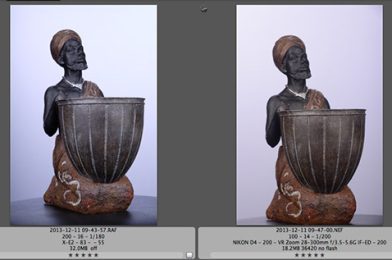
Studio Comparison
First, after importing the RAW images from the Nikon and Fuji into PhotoMechanic, I noticed one thing right away—file size. The Fuji RAF file was 32 MB, compared to the Nikon NEF at 18.2 MB.
After import, I opened Adobe Lightroom and selected the lens profile to change. The Fuji doesn’t have that data in Lightroom yet. They have a lens modulation optimizer built into the camera. Here is how it works:
You may want to read about the Quest for Highest Possible Resolution by Fuji HERE.
The second step was getting the comparison closer together, so I used the eyedropper and clicked on the white background to achieve a similar white balance.
Then I exported them.
See for yourself
 |
| Nikon D4, 28-300mm ISO 100 [Click here for high res] |
 |
| Fuji X E2, 18-55mm ISO 200 [Click here for high-res photo] |
I shot at the lowest recommended ISO for each manufacturer. Click on the links above to see full-resolution JPEG images.
 |
| Nikon D4 cropped version of the photo above. |
 |
| Fuji X E2, shortened version of the photo. |
I suggest downloading the high resolution and doing all the pixel peeping you like.